







I love finding Web tools and resources that help me get more done in my life, and I really like sharing them with other entrepreneurs and small business owners. This week, I want to tell you about FreeAppAlert.com, a site that will interest anyone who owns an iPhone or an iPad – and wants to save some money.
How to Save Money on iPhone and iPad Apps
Now the premise of FreeAppAlert is very simple. This website scours the iTunes store for apps for both the iPhone and the iPad that used to cost you money, but are now available for free. You can sign up via email for alerts, and of course you can search the site yourself. For instance, if you go to the site, you’ll see a listing of the newly free iPhone apps for the day, and there’s usually quite a chunk of them.
Now I have to say that they’re not all business-oriented, and some of them are pretty esoteric. For example, I found one called Vietnam Bidding Law, and I can see why they might not be getting $10 for that now. If you want to see what some of the screens look like, they do have little screen captures here that you can check out before you go to the iTune store to really check it out.
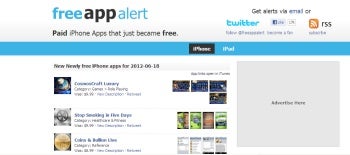
FreeAppAlert.com finds iPad and iPhone apps that used to cost money but are now available for free.
found another iPhone app called Gas Trax, which helps you keep track of your car’s gas consumption. When you click on the name, it takes you to the iTunes store. As you peruse the app information, you might want to keep a few things in mind, like whether the app works with your particular iPhone, because some of these apps that are now free may be designed for older versions of the iPhone. Fortunately, the site lists the requirements. For instance GasTrax doesn’t have a version for the iPhone 4S.
Gas Trax was originally released in February of 2011 so right now it’s like a year and a half old. And it doesn’t list any customer ratings; at least it hasn’t received enough to display an average for the current version of the application, so that might tell you something, too.
On the right-hand side of the Free App Alert site, you’ll find a list of the most-recently added apps. Remember, these are all apps they used to charge money for that are now free. And as I’ve mentioned earlier, they also offer iPad apps using the same type of set up. For example, I found an iPad app to help me track my expenses called ExpenSenseHD. It originally cost $4.99, but now it’s available for free. And I found a navigation app called Around You Pad, which sold for 99 cents but, you guessed it, it’s now free to you.
It’s a pretty good idea. I mean why should I pay 99 cents or $1.99 or, in some cases, $9.99 for something that might turn out to be free just a couple of weeks down the line once they’ve found out they’re not getting the bucks for it? It’s definitely worth checking out FreeAppAlert.com periodically for free deals on iPhone and iPad apps.
Andrew Lock is a self-described maverick marketer and the creator and host of Help! My Business Sucks, a free, weekly Web TV show full of practical small business marketing tips, advice and resources to help small businesses “get more done and have more fun.”
| Do you have a comment or question about this article or other small business topics in general? Speak out in the SmallBusinessComputing.com Forums. Join the discussion today! |