







Sephora offers Google Helpouts. So do Weight Watchers, Rosetta Stone, One Medical, and Redbacon, a Home Depot company. The question is: should your small business marketing plan include Google Helpouts, too?
Google launched Helpout Nov. 5. The video-chat service, based on Google Hangout, is designed to connect experts in a variety of professional fields with consumers who need their help. Though many people offer their services for free on Helpout, others charge by the minute or by the hour.
For example, a 30-minute English tutoring session with a Rosetta Stone tutor costs $30, or $1 per minute. Google takes a 20 percent cut of all paid Helpouts. Customers and Helpout providers use Google Wallet for financial transactions.
How Google Helpout Works
In a Google Helpout session, the customer and the expert can see one another via video chat as well as send messages via in-app chat and share their computer screens. You can grant someone remote desktop access during a Helpout too, which would enable, for example, a computer tech expert to diagnose a PC problem you’re experiencing.
Currently, Google Helpout is for business-to-consumer offerings only. There are plans to add business-to-business Helpouts in the future, according to Google.
Google Helpout: Invitation Only
Google Helpouts aren’t open to everyone at this point. Aside from having a Google+ account, you must receive a Google Helpout invitation code to sign up. You can also request an invitation code. The code links to your Google account, according to a Google Helpout expert we talked to (during a Helpout session), so you can’t pass along your invite to a friend.
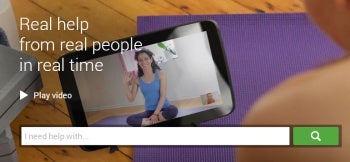
Google Helpout Homepage
Once you have an invitation code, create a profile for your business and the services you plan to offer. Tip: Be sure to include important keywords related to your business in your headline, so people searching on Google Helpouts can find you easily. You can also create a short video about yourself and your services, which others will see when viewing your Google Helpout profile.
After that, Google will want to qualify you before you can become an official Helpout provider. Google will typically ask a prospective Helpout provider a few questions during a video chat. “We’re looking for people with great qualifications and who are knowledgeable about their topic, well spoken and confident,” according to the Helpout expert who spoke with us.
Helpout Scheduling and No-Shows
Once Google green-lights you as a Helpout provider, your Helpout page goes live. You decide your availability for Helpout sessions. You can log into Helpouts at any time and indicate that you’re available for a session. Those who are immediately available show up in Helpout search results above others who aren’t currently available. You can also allow people to schedule appointments with you through Helpouts.
Google allows Helpout providers to charge a no-show cancellation fee, which is typically half the rate you would have received for the scheduled time. If someone booked you for one hour and you charge $50 per hour, the customer would pay a $25 cancellation fee if they don’t cancel within 24 hours of the appointment.