







Let’s be honest ‑ for many of us, backing up our PC, while very important, often falls somewhere behind eating our vegetables and working out three times a week. Oh sure, we read the stories of calamity that befalls other people who haven’t done their backups ‑ like the architectural firm lost $2.5M worth of plans when a disgruntled employee deleted them. The small business incurred several thousands of dollars in costs to pay a data-recovery firm to retrieve what could have been restored in minutes with a proper backup.
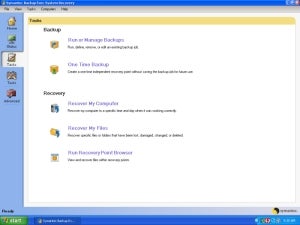
To begin a backup, you first define a job, which specifies what data will be included in the recovery point. The default and most common job is “My Computer” which covers your whole Windows install. You can optionally choose to backup data from other drives and partitions as part of this same job (or in another job of its own).
You can then assign jobs to an automatic time-based schedule: day of week and times, and you can run backups multiple times per day. You can also launch backup jobs by event triggers, such as when new or specific applications are installed, specified users log on or off, or a specific amount of data has been added to a drive.
Finally, jobs can also be launched in consultation with Symantec’s ThreatCon global security threat metric. ThreatCon is like Symantec’s version of Homeland Security threat level colors, but for PC malware. Using this feature, BESR8 will launch a backup job if deemed necessary by the ThreatCon level, as determined by Symantec.
Because backup jobs run in the background, you can continue working while BESR8 takes care of business. A small informational window pops up briefly when a backup event begins.
A simple calendar view in the Status menu lets you view future scheduled jobs and optionally click on any date to edit its schedule.
Backup Targets
Storage capacity is cheap, which removes one old excuse for avoiding backups. You can point BESR8 jobs to just about any storage destination – a network share, thumb drive, external USB disk and even a remote Internet location via FTP. Because Windows will sometimes assign different drive letters to attached storage devices like USB disks, BESR8 recognizes these drives by “branding” them with a data tag, allowing the software to assign specific jobs to specific external disks.
Saved backups (recovery points) can be managed after the fact using the Copy Recovery Point task, which lets you, as the name implies, copy a recovery point to another storage location or even to writable CD/DVD.
When you have created a full system recovery point, future backups within the
“
life
”
of that recovery point (as defined in the schedule) will contain incremental changes. This saves disk space, because each recovery point does not need to contain duplicate data, which can save you many gigabytes.