







As anyone who shoots a lot of video knows, video files consume a considerable amount of storage space. And as anyone with days, weeks, or months of stored video knows, organizing all that footage so that you can find what you’re looking for takes a considerable effort.
Imagine then, the challenge faced by a small business that must manage the numerous cameras and prodigious output of an on-premises video monitoring system (VMS).
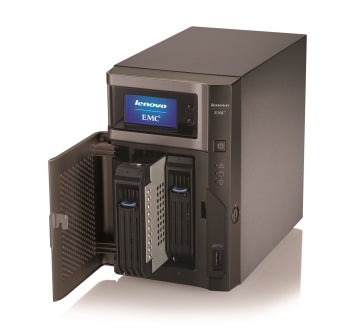
Organizations with an investment in analog cameras will be interested to know that LenovoEMC will soon offer an optional PCIe add-in card for the px2-300d that will allow the unit to record from up to 16 analog cameras.
We tested a px2-300d, but it’s worth noting that LenovoEMC also offers a beefier px4-300d model which, for a bit more than twice the price ($2,199), offers double the bays and raw storage (4 bays and 8 TB) as well as 16 camera licenses.
NVR Hardware Setup
LenovoEMC boasts that the px2-300d network video recorder offers “automated installation and configuration,” a claim that we thought to be somewhat hyperbolic when we read it in the product literature. It turns out, however, that the assertion isn’t all that far from the truth.
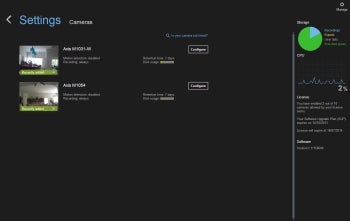
Milestone Arcus displays basic NVR and camera recording status at a glance.
To get started, we connected our px2-300d to the network and powered it on. Within several minutes it was up and running with the LCD status display showing the unit’s IP address. Then we set up the two Axis cameras, plugging them into power and Ethernet. Then, we left the NVR and cameras running—but unattended—for nearly 48 hours.
Next, we pointed a web browser to the px2-300d’s IP address to begin the configuration process. Owing to its focus on video recording, the px2-300d’s configuration UI doesn’t dump you in the midst of myriad general NAS settings. Rather, it puts you directly into the Milestone Arcus software, from which we could immediately see the live feed from our two cameras. Moreover, a telltale red square in the upper corner of each video window indicated that recording was in progress.
Sure enough, all it took to get the VMS established and recording was physically connecting and powering up the hardware—no need to manually configure cameras or activate their licenses, as is usually the case. We did need to modify one setting—the unit’s time zone in the general NAS settings—which had been set automatically and erroneously to Pacific Time (accurate time information is particularly important when it comes to video surveillance).