







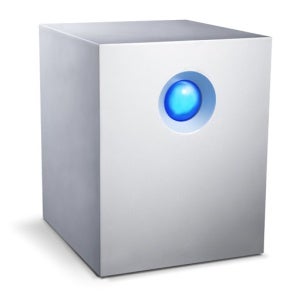
While simultaneously copying a folder to the 5big Network 2 and streaming video from it, we abruptly pulled out a drive to generate a failure, and after a momentary hiccup, both operations continued to a successful conclusion. When a drive dies, the front indicator turns red, mimicking the light above the failed drive’s tray.
You’d think something with five hard drive drives churning inside would make a fair amount of noise, but the 5big Network 2 is virtually silent, with only a subtle detectable hum. Another welcome feature is Eco Management, which lets you minimize the unit’s power consumption by scheduling it to turn on and off automatically at different times and days of the week.
A new addition to LaCie’s NAS 2.0 software: the capability to migrate to new RAID modes without having to blow away existing data as you add additional drives. We were able to start out with a single drive, add a second and convert the unit to RAID 1, and then add additional drives and convert to RAID 5 or 6, all without disturbing the stored data.
You can perform migrations manually or automatically, with the process taking anywhere from one to eight hours, during which time the drive is still accessible (albeit with slightly degraded performance).
There are two caveats worth mentioning about RAID migration. One is that you can only migrate non-destructively when adding new drives. Converting a five-drive RAID 5 to RAID 6, for example, does involve loss of data. Also, all current 5big Network 2 models ship with all five drive bays full, which limits your practical ability to utilize the migration feature unless you start anew with your own drives.
The 5big Network 2 is available in 5, 10 or 15 TB versions for $799, $1,049 or $1,399 respectively.
Data Sharing and Backup
Windows, Mac or Linux systems can connect to shares on the 5big Network 2. Two default shares are called Public and Share, with the latter requiring specific user rights to access. You can set up users and groups right on the 5big Network 2, or join the unit to Active Directory to use an existing list.
For backing up users’ computers, the NAS storage server comes with three licenses each for Genie and Intego Backup Manager Pro (for Windows and Mac systems, respectively). It can also backup Macs via Time Machine, and backup itself to an external storage device.
In a helpful nod to people who like to keep a data backup copy offsite, you can configure backups to occur automatically when a specified external storage device is connected (rather than at a particular day and time) and then automatically disconnect the drive when the backup is complete. This saves the trouble of logging into the unit to initiate a backup and then doing so again to safely eject the drive.