







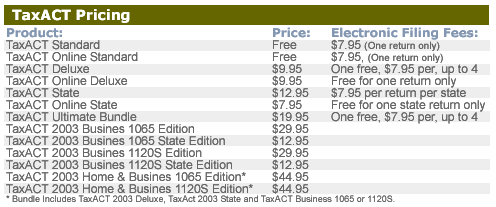
2nd Story Software is the first out of the gate to tout its lineup of tax preparation software. TaxACT 2003 is the sixth release of 2nd Story Software’s flagship product.
While it may be a bit early to start preparing tax returns, 2nd Story Software wants to make it clear that TaxACT is an inexpensive alternative to TurboTax and TaxCut. As a matter of fact, the Standard Edition of TaxACT is available for free. You can download the program or order a CD online. Users have the option of filing their tax returns electronically for $7.95. Just be aware that TaxACT Standard completes one tax return only.
For those with a more complex tax situation, TaxACT Deluxe costs just $9.95. The 2004 version of TaxACT Deluxe comes jam-packed with over 100 tax forms, tax calculators, tax advise from J.K. Lasser’s Your Income Tax Guide 2004, and automated reports to make tax-time, well, a little less taxing.
With TaxACT Deluxe, you can import last year’s tax return — if you happened to use TaxACT last year, too. There is no import option available to transfer financial information from other programs such as Quicken or QuickBooks.
New for small businesses this year, 2nd Story Software now offers two different add-on programs to TaxACT Deluxe. TaxACT 2003 Business 1065 for partnerships and TaxACT 2003 1120S for incorporated small businesses share the same interface and simple instructions as TaxACT Deluxe offers. TaxACT Business Editions for partnerships and S-corps include forms specific to filing tax returns for small business owners. Small businesses can take advantage of special pricing with the TaxACT Home and Business Bundle, which includes TaxACT 2003 Deluxe, TaxACT 2003 State, and a choice of either the partnership or s-corps edition.
Change is Good
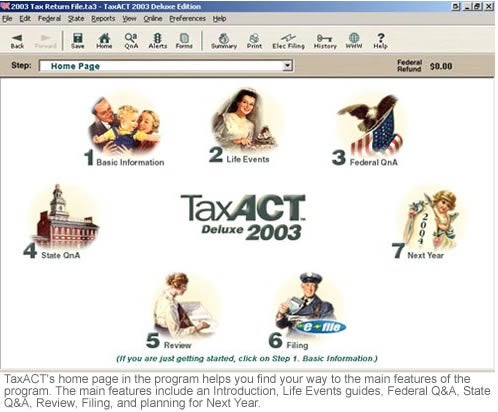
TaxACT got a face-lift this year to provide a more user-friendly interface (shown below). The new design focuses on making the many steps involved in a preparing tax return easier to follow. Improved navigation within the program allows for easy access to helpful information, whether its context-sensitive issues or line-by-line help.
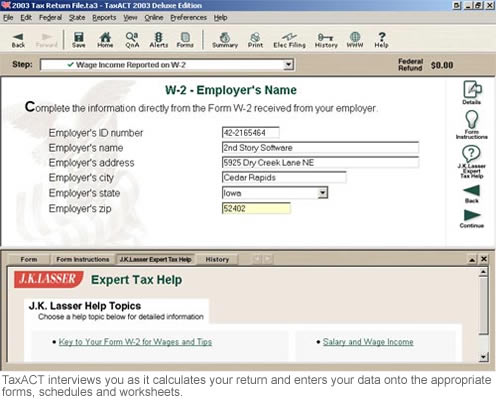
Like most tax preparation programs, TaxACT offers two ways to enter your data. You can use the interview format (shown below) that posts a series of questions you must answer, or you can enter data directly into the appropriate forms and schedules.
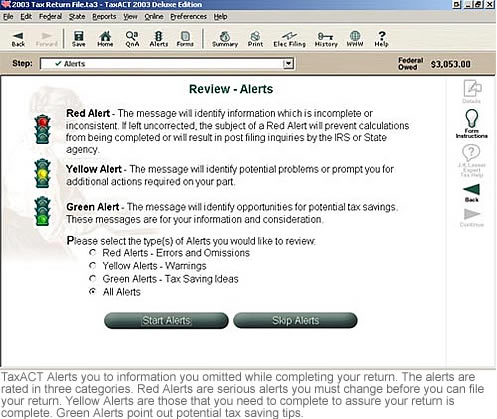
TaxACT alerts you to information you omitted while completing your return. Just like the color-coded alerts of a traffic light, red means stop, yellow means caution, and green means go. Red alerts are serious enough that you must address the issue before you can file your return. Yellow alerts notify you that your nearly there, but need to take a few more before your return is complete. Green alerts point out potential tax saving tips.
Tax returns can be printed on plain paper using a dot matrix, ink-jet or laser printer. Of course, all of the forms included in any version of TaxACT are IRS-approved. 2nd Story Software backs up the accuracy of its tax preparation software, too. If you are assessed a penalty by the IRS due to a calculation error, the company will pay the penalty.
TaxACT for Windows requires an IBM or compatible PC running on a Pentium chip or better, 15MB RAM, Microsoft Windows 95, 98, Me, NT, 2000, 0r XP. A SVGA monitor is also required with a minimum of 256 colors. A mouse is recommended and Internet access is required for electronic-filing and other features, like online help. The final release date for TaxACT Standard and Deluxe editions is Jan. 20, 2004. State editions will release between Jan. 20 and Jan 31, 2004.
| Do you have a comment or question about this article or other small business topics in general? Speak out in the SmallBusinessComputing.com Forums. Join the discussion today! |