







Lenovo’s new line of ThinkPad notebooks is designed to secure the entire contents of the hard drive with the swipe of a finger. And given the rate at which laptops are stolen in this country, it couldn’t have come at a better time.
Laptop theft stories have dominated tech and security news this year. Some 50,000 former and current General Electric employees face the risk of identity theft after learning a laptop computer containing personal data was stolen earlier this month.
In June, the Federal Trade Commission said two FTC attorneys’ laptops containing the personal information of 110 people were stolen from a locked vehicle.
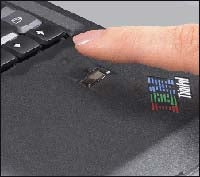 |
Lenovo has offered fingerprint readers on its ThinkPads for some time now, but those were mostly in lieu of password entry.
These laptops are the first to use the fingerprint to encrypt drive contents.
These new ThinkPads use encryption through SafeGuard Easy 4.30 by Utimaco, which encrypts the entire contents of the hard drive and can only be decrypted with a swipe of an authorized fingerprint.
User authentication is required when you boot up the computer, not after Windows has started.
SafeGuard Easy 4.30 has received FIPS 140-2 certification from the U.S. government, a certification that’s required in order to sell encryption products to government agencies.
Lenovo claims that the data on the ThinkPad cannot be accessed even if the drive is removed from the laptop and connected to another computer that uses a separate physical drive to boot.
Security aside, Lenovo is beefing up its T, R, X and Z Series ThinkPads with some of the newest technologies. These laptops will come with Core 2 Duo processors from Intel and integrated 11a/b/g/n wireless networking technology.
The 802.11n support is based on draft standard1, since the 802.11n specification is not yet final.
Adapted from Internetnews.com.
| Do you have a comment or question about this article or other small business topics in general? Speak out in the SmallBusinessComputing.com Forums. Join the discussion today! |