




An Introduction to Windows Vista: Part 2 - Small Business Computing

An Introduction to Windows Vista: Part 2

Written By
Joseph Moran
Joseph Moran
May 25, 2006
1 minute read

Considering how long it’s been since a new version of Windows came out, you would expect Vista to have more new features than you can shake a stick of RAM at, and you’d be right. Still chances are that you don’t want to run Vista just to have the latest and the greatest, but because you’re looking for ways the new OS can help your small business by letting your PCs run faster, more reliably or do things that they couldn’t do before.
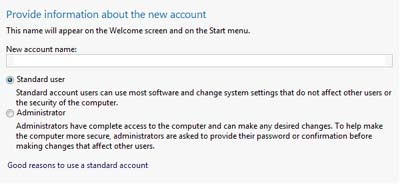
Standard account screen

Small Business Computing Logo

Small Business Computing addresses the technology needs of small businesses, which are defined as businesses with fewer than 500 employees and/or less than $7 million in annual sales. To address the needs of these small businesses, Small Business Computing offers detailed coverage of cost-effective technology solutions, including lists of top vendors, product comparisons, and how-to guides that offer specific tools to help solve issues.

Property of TechnologyAdvice. © 2026 TechnologyAdvice. All Rights Reserved

Advertiser Disclosure: Some of the products that appear on this site are from companies from which TechnologyAdvice receives compensation. This compensation may impact how and where products appear on this site including, for example, the order in which they appear. TechnologyAdvice does not include all companies or all types of products available in the marketplace.