








When data breaches happen to large companies — the loss of a laptop with BP oil-spill claimants’ information comes to mind — it makes the evening news. When it happens to small companies, it could mean the end of the line. If you store any client data, whether it’s simple billing addresses or sensitive financial or healthcare records, it’s your responsibility to keep that information secure from unauthorized access. And for your own peace of mind, you need to be sure to backup data securely in the event of a hardware failure, fire or natural disaster.
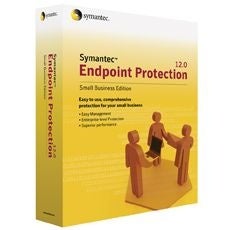 |
| Symantec Endpoint Protection Small Business Edition |
Small business security takes many forms and a layered approach – where you protect the physical assets, limit access to the data and encrypt the data — is the best approach. We’ve surveyed the small business security landscape to identify 10 security products every small business owner should consider.
Keep PCs and Servers Safe with Malware Protection
It goes without saying, but we’ll say it anyway: Every PC and server in your organization needs to have its own installed, running and up-to-date anti-virus (AV) program. Need proof? In 2010, attackers unleashed more than 286 million distinct malicious programs, such as viruses and spyware (collectively referred to as malware), according to software security giant Symantec.
One of the leading AV packages is Symantec Endpoint Protection Small Business Edition. You can purchase a five-license pack ($183.70) to keep your business’ desktops, laptops and servers safe from malware and other threats. The installation wizard speeds deployment, and the centralized management console application lets you check on the status of each machine on the network from one PC.
Importantly, Symantec’s TruScan Proactive ThreatScan technology offers protection from previously unknown viruses based on their behavior, even if a particular virus signature is not yet in the database.
Another strong option is the McAfee SaaS Endpoint Protection SaaS Suite, an integrated solution that delivers protection from viruses, spyware, Web threats and hacker attacks for about $35 per license per year. The email security component also guards against spam and phishing attacks, as well as viruses that circulate via email.
The online-based installation procedure lets you forward the installation link via email to all licensed users for each PC you want to protect. Conveniently, even the management console is online, so you can check on the security status of all your machines, schedule reports and even kick off a scan from any Internet-connected PC.
Other strong options are available from AVG Technologies, which offers an entire range of small business security products. You can select from solutions to that deliver anti-virus protection for desktops/laptops, file-server protection, email server protection and even an edition for small businesses running a Linux server.
Most businesses will be best served by the AVG Internet Security 2011 Business Edition suite, which delivers endpoint security for your laptop and desktop PCs, file server protection to prevent malware from spreading across your network, email server protection against spam, phishing and other email threats, and of course automated security updates plus security monitoring and reporting.
We especially like the program’s Smart Scanning feature, which steps up scan speed while your PC is idle, then automatically switches to low-priority mode when you’re working to conserve CPU cycles. Subscriptions for the AVG Internet Security 2011 Business Edition suite start at $125.99 per year for two machines.